Scan Data Entry Widget
- “ScanDataEntryWidget” is an editor tool you can use to add / edit scan data without having to manually edit the datatable
Installation
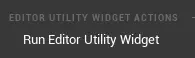
- right click on the asset and select this
- You can dock the window by the levels tab
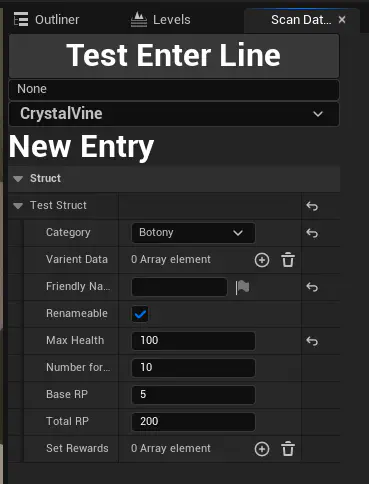
- Once you dock it it should automatically open when you start the editor
Updating an existing scan
- Select a scanable object (like a plant) in the viewport
- The widget should update
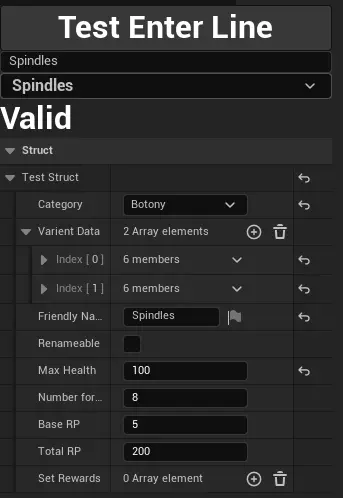
- You can change basic details like friendly name and rewards here
- Varient data holds the entry stuff
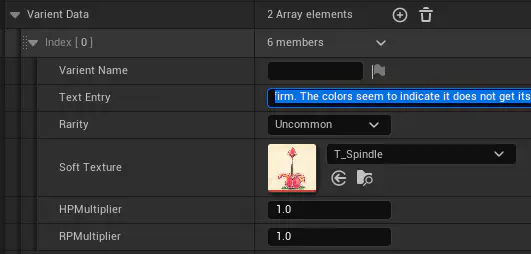
- “Varient Name” isn’t displayed anywhere yet
- Text entry has the text
- Rarity changes the color in the blurb / color of the outline and gives more RP for completion
- Soft Texture is the reference to the blurb’s illustration
- HP and RP mult are modifiers on the base hp and RP for the scan
- The widget should update
Adding a new entry
- Select the new object in the viewport
- Make sure the object has a scan component
- Make sure the scan component has a scan tag set
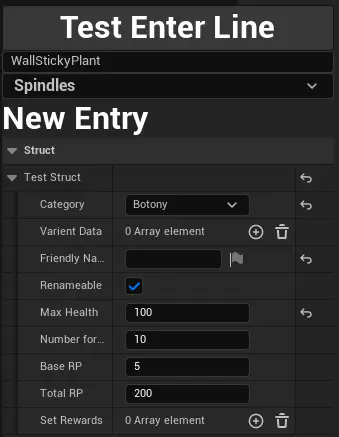
- Thing should show “New Entry”
- Fill out the entry - it automatically saves