We want to keep drawcalls down in a game like this - it will likely be the biggest source of optimization pain.
Custom primitive data (and instanced custom primitive data) let us change parameters on meshes or instances without assigning a dynamic material, allowing for reduced complexity at the cost of a little less flexibility. Let’s take a look, using the grid node as an example:
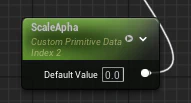
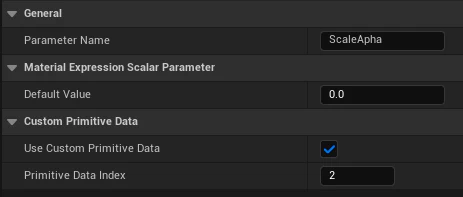
UseCustomPrimitiveData. Unlike dynamic parameters, CPD uses an index (you can make up to 32 per mesh).
You can still name the parameter, but you’ll be accessing it via this number.
NOTE: You can easily accidentally use the same value as a different parameter. This is the major downside of CPD, but with planning it should work out. Make sure when working with existing materials you take note of any CPD indexes used and avoid colliding.
Thats more or less it for the material CPD wise.
Code
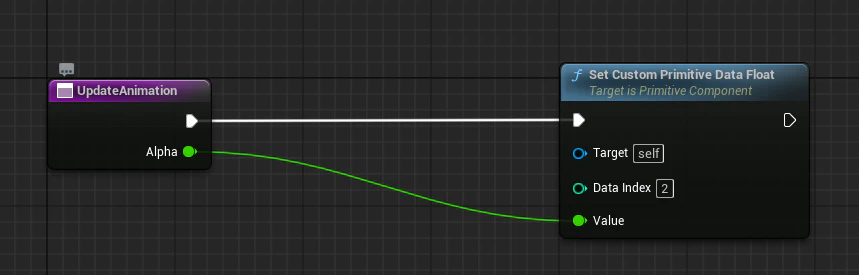
CPD won’t show in editor by default - there is a special node for it:
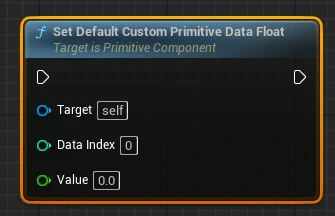
There are nodes for “vector”, but all it does is string 2 or more scalars together. Useful for organization, but remember the indexes just act sequentially - no special sorting.
That’s it! The mesh itself contains the scalar value, and can still be instanced (should be automatic by the editor). Check out the official UE docs for more info, but honestly that is pretty much all there is to it.