Decorators (Logic setup)
In BT, decorators are used to determine logic. These can be added to sequence or selector nodes in the tree to determine if that node is “valid”, which allows it to run. The entire tree walks through the options for the next valid entry whenever dialog is progressed.
Notable Decorators
BTD_CheckFlag- Previously BTD_CheckEvent
- Manual typing of a generic flag, often used for level state changes. Sorry, no list for this! Poke around to find the tag you need, they can be set in blueprints AND BTs (
BTT_SetGlobalFlag)
BTD_CheckCurrentBotStatus- Previously BTD_CheckRQVariable
- This contains a collection of variables related to the speaking bot (owner of the BT)
- has chatted before
- quest satisfied
- quest complete
- bot has an update (???)
- looks to be currently unimplemented (always false)
BTD_CheckRobotCompletionStatus- Using a bot tag you can look up another bot’s
bQuestCompletestatus. You can find a bot’s tag in their RQ (actually open the blueprint and look forTagin details)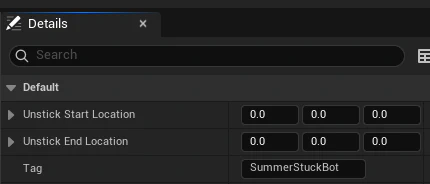
- Using a bot tag you can look up another bot’s
BTD_CheckUpgrade- Simple enum list of upgrades. True if the player has discovered the upgrade.
BTD_CheckBreakthrough- Check if a specific (singular) breakthrough has been discovered.
BTD_CheckBreakthroughCategory- Check if a whole breakthrough category has been completed. This only registers as true when the entire breakthrough is complete!
- Ignore the relic entries in this. Use
BTD_CheckRelicOrDungeonfor relics.
BTD_CheckRelicOrDungeon- Check if a relic has been discovered.
BTD_CheckScan- Check a specific variant of a scan tag, or if an entire tag is complete (set). This uses a searchable drop-down to help find the specific tag you need. Remember to set the variant!
Practical example
For Kenny, we want to have a series of checks after their quest to determine what they will say. To do this, we’ll set up a series of Selector nodes that connect to Sequence nodes with decorators (Rules, basically).
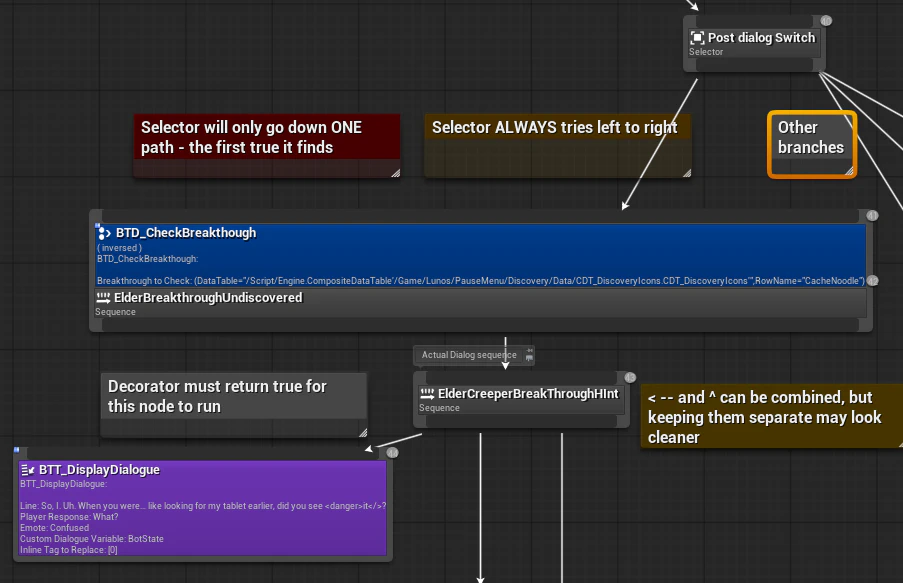
To add a decorator, right click on a node > add decorator…
For the Kenny dialog, we’ll want to use a selector to determine which sequence of lines to display based on flags. Start with adding a selector at the top, and connect up your sequences in the order you want them to be checked.
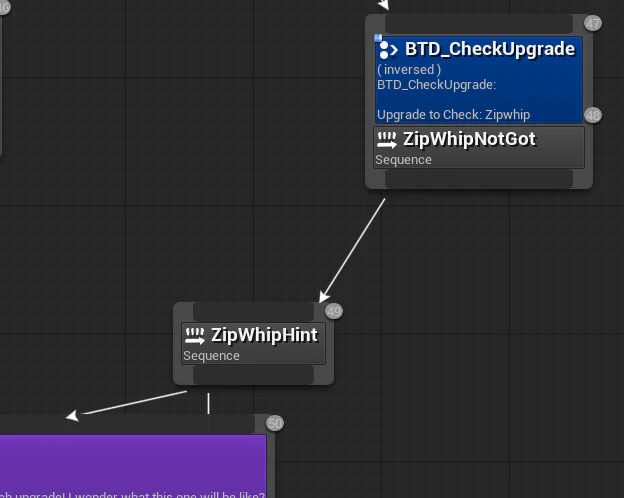
These will often be inverted, IE does the player not have the zipwhip? To invert, select the decorator and click InverseCondition in the details panel.
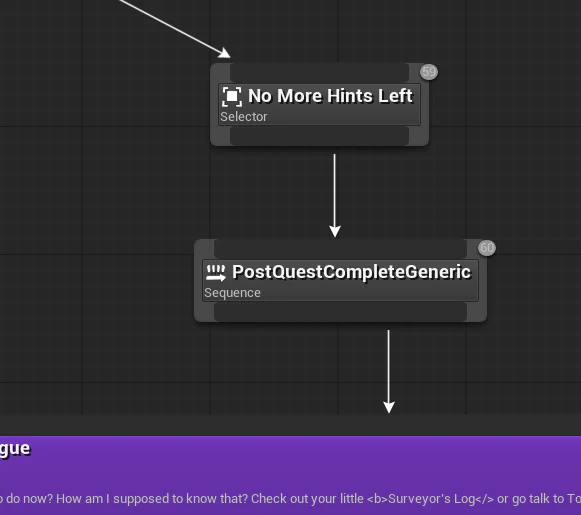
At the end of your selector you may want a failsafe, IE a line that displays if everything fails (the player HAS helped leroy, had the zipwhip etc)